March 31, 2004
Undeservedly forgotten: IE Tools for Validating XML and Viewing XSLT Output
Chernobyl chronicles
March 30, 2004
Xerces.NET???
Woohoo! (MSDN XML DevCenter)
Mark's article "What's New in System.Xml for Visual Studio 2005 and the .NET Framework 2.0 Release" looks brilliant. It's a big one and I didn't read it yet, but it should be familiar to me as I just finished reading his "First Look at ADO.NET and System Xml v 2.0" book. So more comments to come. Btw, that book will be "book-of-the-month" in the recently launched .NET book club.
Addition from Dare - XSD Inference API will be promoted into core System.Xml. Nice. Here we can see how proved to be useful tool make it to the core API.
Additions from Mark:
Many methods and properties on the XmlReader, XmlWriter and XPathNavigator abstract classes now have default implementations added making it easier to implement your custom versions over datastores.Wow! At last! That was my top feature request.
XPathNodeIterator implements the IEnumerable interface.Really nice one. It makes XPathNodeIterator more consistent.
Well done, sincere congratulations to Dare and to all involved, let's make XML Dev Center rock!
PS. Small web design comment - the front page looks bad in mozilla.
Visual Studio.NET Wallpaper?
RE: Do we need SAX for .NET? (or does Java ports to C# make sense?)
Binary evil strikes back - W3C launches XML Binary Characterization WG
EXSLT.NET and ASP.NET security woes
A guy said he's getting SecurityException whenever he tries to use EXSLT.NET in ASP.NET, while it works in command line with nxslt.exe. We use reflection in EXSLT.NET code (e.g. to return a nodeset from the extension functions using this recipe) and as Dare noted in his "EXSLT: Enhancing the Power of XSLT" article, that imposes Full Trust security requirements. That's why at first I decided that's EXSLT.NET fault and I should find out how to get rid of reflection in the code. That was too quick rush, happily then I realized many people including me do use EXSLT.NET in ASP.NET and it does work fine.
Subsequent investigation shed some light. Using reflection and even heavy sin of instantiating an internal class in XSLT extension object in fact doesn't require Full Trust, but only ReflectionPermission with appropiate flags. Moreover, that just doesn't matter, because using any extension object in XSLT requires real Full Trust due to improved Code Access Security in .NET 1.1. So no matter what we do in EXSLT.NET code, your code (including your XSLT stylesheet) must be fully trusted to be able to use any XSLT extensions. That undoubtedly makes sense otherwise another cool XSLT stylesheet could inspect your hard disk while styling an RSS feed.
The bottom line - to avoid SecurityException when using EXSLT.NET functions in ASP.NET load your XSLT stylesheet from fully trusted place, such as local file system (read more about Code Access Security). If you want to load a stylesheet from a remote web site, you need to make that site fully trusted using either caspol.exe utility or .NET Framework Configuration tool (Mscorcfg.msc).
March 29, 2004
New Google's Skin
March 28, 2004
Interesting BizTalk webcast will take place April 8th - enroll now
MSN chases Google, now with MSN toolbar
March 25, 2004
Visual Studio 2005 Community Technology Preview is here
First year in Blogland
March 22, 2004
SAX for .NET?
March 21, 2004
Should I use elements or attributes?
March 17, 2004
Transforming WordML to HTML: Support for Images
Word 2003 allows to save document as "Single File Web Page" (*.mht aka Web Archive file) or as usual HTML document. In the latter case all images embedded into Word document are saved into documentName_files directory. Here is a challenge - how to implement it with XSLT. Obviously we need extension function to decode (Base64) embedded image and to write to a directory. That's not a big deal, but the problem is it makes XSLT stylesheet not portable, that's why I need different versions for .NET, MSXML etc. Second problem - WordML document doesn't store name of file, so the question is how to name a directory where to save decoded images. I introduced a global stylesheet parameter called docName to facilitate the issue. If docName parameter isn't provided, it's defaulted to first 10 characters of the document title.
To run the transformation I used nxslt.exe command line utility. Download it for free if you don't have it yet.
So I created test Word 2003 document with a couple of images: 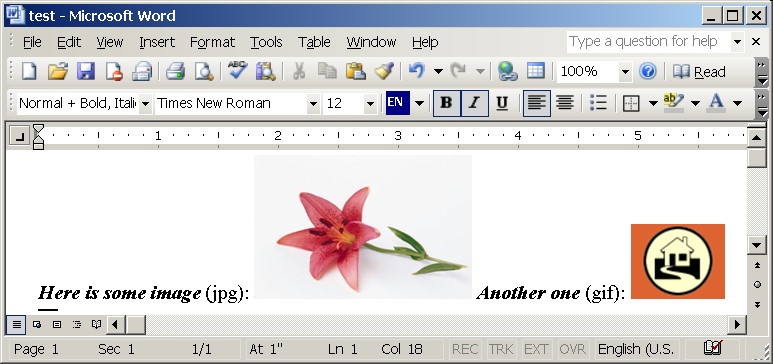
Saved it as XML to test.xml file and run transformation to HTML by the following command line:
nxslt.exe test.xml d:\xsl\Word2HTML-.NET-script.xsl -o test.html docName=testAs the result, XSLT transformation created test.html document and test_files directory, containing two decoded images, here is how it looks like in a browser:
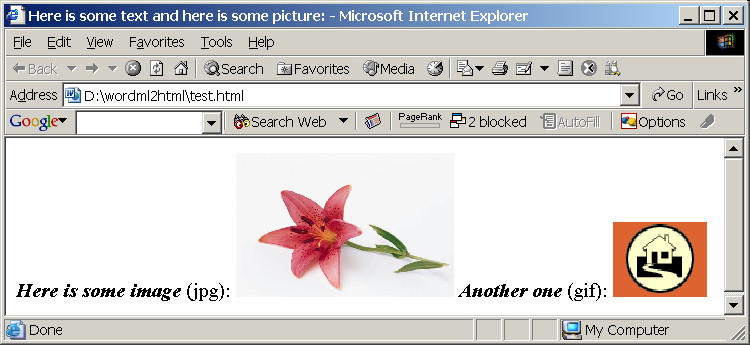 .
.
The implementation is very simple one. Here it is:
<msxsl:script language="c#" implements-prefix="ext">
  public string decodePicture(XPathNodeIterator bindata, string dirname, string filename) {
    if (bindata.MoveNext()) {
      System.IO.DirectoryInfo di = new System.IO.DirectoryInfo(dirname);
      if (!di.Exists)
        di.Create();
      using (System.IO.FileStream fs =
        System.IO.File.Create(System.IO.Path.Combine(di.FullName, filename))) {
        byte[] data = Convert.FromBase64String(bindata.Current.Value);
        fs.Write(data, 0, data.Length);
      }
      return dirname + "/" + filename;
    }
    else
        return "";
}
</msxsl:script>
<xsl:template match="w:pict">
  <xsl:variable name="dir">
    <xsl:choose>
      <xsl:when test="$docName != ''">
        <xsl:value-of select="$docName"/>
      </xsl:when>
      <xsl:otherwise>
        <!-- We need something unique instead of document name -->
        <!-- Let's take first 10 characters of title -->
        <xsl:value-of select="translate(substring($p.docInfo/o:Title, 1, 10), ' ', '')"/>
      </xsl:otherwise>
    </xsl:choose>
    <xsl:text>_files</xsl:text>
  </xsl:variable>
  <img
  src="{ext:decodePicture(w:binData, $dir, substring-after(w:binData/@w:name, 'wordml://'))}"
  alt="{v:shape/v:imagedata/@o:title}" style="{v:shape/@style}"
  title="{v:shape/v:imagedata/@o:title}"/>
</xsl:template>
Not a rocket engineering indeed. Yes, Sal, WMZ images are not supported, I have no idea how to convert them to GIF.
Download the stylesheet here and give it a shot. Again - this stylesheet requires .NET XSLT engine. Any comments/requests/bug reports are welcome.
March 16, 2004
XML Bestiary: IndexingXPathNavigator
Intro
IndexingXPathNavigator is a wrapper around any XPathNavigator, augmenting it with indexing functionality. Such architecture allows seamless indexing of any IXPathNavigable XML store, such as XPathDocument, XmlDocument or XmlDataDocument. The overall semantics behind should be very familiar to any developer acquainted with XSLT as IndexingXPathNavigator behavior literally follows XSLT 1.0 specification.The main scenario when IndexingXPathNavigator is meant to be used is uniform repetitive XPath selections from loaded in-memory XML document, such as selecting orders by orderID from an XmlDocument. Using IndexingXPathNavigator with preindexed selections allows drastically decrease selection time and to achieve O(n) perf.
How it works
First one have to declare keys, according to which the indexing occurs. This is done usingIndexingXPathNavigator.AddKey(string keyname, string match, string use) method, where
keyname is the name of the key,
match is an XPath pattern, defining the nodes to which this key is applicable and
use is an XPath expression used to determine the value of the key for each matching node.
E.g. to index XML document by "id" attribute value, one can declare a key, named "idKey" as follows: AddKey("idKey", "*", "@id"). This method works identically to XSLT's <xsl:key> instruction. Essentially a key can be thought as a collection of node-value pairs. During indexing IndexingXPathNavigator builds a Hashtable for each named key, which contains nodes and associated values and allows to retrieve nodes by key value. You may define as many keys as you need including keys with the same name.
After all keys are declared, IndexingXPathNavigator is ready for indexing. Indexing process is performed as follows - each node in XML document is matched against all key definitions. For each matching node, key value is calculated and this node-value pair is added into appropriate Hashtable. As can be seen indexing is not a cheap operation, it involves walking through the whole XML tree, multiple node matching and XPath expression evaluating. That's the usual indexing price. Indexing can be done in either lazy (first access time) or eager (before any selections) manner.
After indexing IndexingXPathNavigator is ready for node retrieving. IndexingXPathNavigator augments XPath with standard XSLT's key(string keyname, object keyValue) function, which allows to retrieve nodes directly from built indexes (Hashtables) by key value. The function is implemented as per XSLT spec.
Usage sample
Here is common usage pattern, which I used also to test the performance of the IndexingXPathNavigator. There is an XML document, northwind.xml, which is XML version of the Northwind database. It contains lots of orders, each one consisting of order ID, order date and shipping address:<Item> <OrderID> 10952</OrderID> <OrderDate> 4/15/96</OrderDate> <ShipAddress> Obere Str. 57</ShipAddress> </Item>The aim is to select shipping address for an order by order ID. Here is how it can be implemented with IndexingXPathNavigator:
XPathDocument doc = new XPathDocument("test/northwind.xml");
IndexingXPathNavigator inav = new IndexingXPathNavigator(
  doc.CreateNavigator());
//Declare a key named "orderKey", which matches Item elements and
//whose key value is value of child OrderID element
inav.AddKey("orderKey", "OrderIDs/Item", "OrderID");
//Indexing
inav.BuildIndexes();
//Selection
XPathNodeIterator ni =  nav.Select("key('orderKey', ' 10330')/ShipAddress");
while (ni.MoveNext())
  Console.WriteLine(ni.Current.Value);
Performance test
Here are results of my testing. northwind.xml is 240Kb and contains 830 orders. I'm searching shipping address for an order, whose OrderID is 10330 (it's almost in the middle of the XML document) using regular XPathNavigator and IndexingXPathNavigator (code above, full code in the download). My PC is 533MHz/256M RAM Win2K box, here are the results:Loading XML document: 167.12 ms Regular selection, warming... Regular selection: 1000 times, total time 5371.79 ms, 1000 nodes selected Regular selection, testing... Regular selection: 1000 times, total time 5181.80 ms, 1000 nodes selected Building IndexingXPathNavigator: 1.03 ms Adding keys: 5.16 ms Indexing: 58.21 ms Indexed selection, warming... Indexed selection: 1000 times, total time 515.90 ms, 1000 nodes selected Indexed selection, testing... Indexed selection: 1000 times, total time 476.06 ms, 1000 nodes selectedAs can be seen, average selection time for regular XPath selection is 5.181 ms, while for indexed selection it's 0.476 ms. One order of magnitude faster! Note additionally that XML document is very simple and regular and I used /ROOT/CustomerIDs/OrderIDs/Item[OrderID=' 10330']/ShipAddress XPath for regular selection, which is almost linear search and is probably the most effective from XPath point of view. With more complex XML structure and XPath expressions such as //Item[OrderID=' 10330']/ShipAddress the difference would be even more striking.
Download
I wanted to make IndexingXPathNavigator a subproject of MVP XML library, but failed. I forgot I can't work with CVS over SSH from my work due to closed SSH port. Grrrmm. Ok, after all it's experimental implementation. Let's see if there will be any substantial feedback first.Full source code along with perf testing. As usual two download locations available: local one and from GotDotNet (will update later). IndexingXPathNavigator homepage is http://www.tkachenko.com/dotnet/IndexingXPathNavigator.html.
I really like this one. Probably that's what my next article is going to be about. What do you think? I'm cap in hand waiting for comments.
MovableType 3.0 on the horizon
RE: Changes in the Workspaces releases area
March 14, 2004
ASP.NET XML syntax?
RE: Opera As An RSS Reader
March 10, 2004
random:random-sequence() at large
<xsl:stylesheet version="1.0" xmlns:xsl="http://www.w3.org/1999/XSL/Transform"
xmlns:random="http://exslt.org/random" exclude-result-prefixes="random">
    <xsl:template match="/">
    	10 random numbers:
    		<xsl:for-each select="random:random-sequence(10)">
    		<xsl:value-of select="format-number(., '##0.000')"/>
    		<xsl:if test="position() != last()">,
    		</xsl:if>
    	</xsl:for-each>
    </xsl:template>
</xsl:stylesheet>
The result is
10 random numbers:
    0.311,
    0.398,
    0.698,
    0.929,
    0.418,
    0.523,
    0.667,
    0.215,
    0.915,
    0.007
The function accepts optional number of random numbers (1 by default) to generate and optional seed (DateTime.Now.Ticks by default) and returns nodeset of <random> elements, each one containing generated random number.
EXSLT.NET team members are encouraged to review my implementation in the projects's source repository and if nobody objects we can release EXSLT.NET 1.1 version.
MSDN XML Dev Center Tagline
The C# Frequently Asked Questions blog
RE: Workspaces bug tracker changes coming soon
March 9, 2004
"Influences on the design of XQuery" article
Saxon goes commercial
XOR Trick and Declarative Programming
March 7, 2004
Why XmlReader Usage Pattern Ignores NameTable?
I'm talking about "keep reading till element foo" pattern all we familiar with:
while (reader.Read()) {
  if (reader.NodeType==XmlNodeType.Element &&
    reader.Name=="foo") {
      ...
    }
}
Bolded part is the crux here. reader.Name property returns parsed element name, with respect to the XmlReader's NameTable, while "foo" string doesn't belong to any NameTable. That means usual string comparison (pointers/length/char-by-char) occurs, which is obviously slow. That's not how it was meant to be! "Object Comparison Using XmlNameTable with XmlReader" article of the .NET Framework Developer's Guide suggests different usage pattern:
object cust = reader.NameTable.Add("Customer");
while (reader.Read())
{
   // The "if" uses efficient pointer comparison.
   if (cust == reader.Name)
   {
      ...
   }
}
Both strings compared here are belong to the same NameTable, thus taking the comparison down to a single cheap pointer comparison!
And what do you think Sun does it in their XML Processing Performance Java and .NET. comparison? The same reader.Name != "LineItemCountValue" stuff! It's interesting to run their tests with such lines fixed.
According to my rough measurements this unfortunate usage pattern costs about 1-20% of the parsing time dependig on many factors. Below is my testing. I'm parsing books.xml document, counting "price" elements.
The result on my Win2K box is:
D:\projects\Test\bin\Release>Test.exe
Warming up...
Testing...
Time with NameTable: 1308.86 ms
Time with no NameTable: 1403.60 ms
Benchmarking is a really fragile stuff and I'm sure the results will differ drastically, but basically what I wanted to say is that something needs to be done to fix this particular usage pattern of XmlReader to not ignore great NameTable idea. I encourage fellow MVPs, XmlInsiders and others not to post XmlReader samples, where NameTable is neglected.
March 4, 2004
On XML Catalogs
Very useful. I hooked on catalogs when working with big DTDs such as Docbook. Validate against huge DTD or schema loading it from the Web isn't good idea and catalogs here is a feature one cannot work without. It's a shame there is still no .NET implementation. Basically that's on my to-do list for almost a year, still close to bottom :( There was some showstopper related to PUBLIC identifier, but I don't remember exactly what the the problem was. It's still tempting to implement it. Probably that's going to be my next pet project after I finish EXSLT article I'm writing. Anybody interested to participate?